
For Hong Kong HR departments and HR and staffing agencies
AI does the HR admin. You make every decision.
CV screening, leave, payroll checks, timesheets and staff policy questions run as multi-step AI workflows in the background. Each result waits on the review desk for HR, and every statutory figure is calculated by code, not by the model.
AI drafts — reviewed by HR before use.
A person approves every decision that matters
The AI has no permission to send messages, write to the database or make payments. These always wait for a person:
- Rejecting a candidate
- Issuing an offer or contract
- Termination and final settlement
- Any pay change, and releasing payroll
- Disciplinary action
- Any outgoing message that isn't an approved template
Not a chatbot
Peopleway is an operations platform. The AI works through the steps; people make the calls.
- Built on Hong Kong's rules
- A deterministic rules engine for the Employment Ordinance (Cap. 57), MPF, the PDPO, the statutory minimum wage, the 468 continuous-contract rule and statutory holidays, versioned by effective date. The model never does the arithmetic.
- Two AIs check before you do
- One AI drafts. A second AI reviews it for bias, figures and sources, and guardrails run before anything reaches the review desk.
- Fair screening from the first read
- Photos, age, marital status, nationality and similar details are masked before the AI reads a CV, and every score cites the line in the CV it came from. Job ads are checked for discriminatory wording such as "women preferred".
- Your payroll system, or ours
- Run payroll on Peopleway's own engine, or keep Workstem, Talenox or Excel and use Peopleway only for the pre-payroll check. Data migration is part of the setup.
- Where your people already are
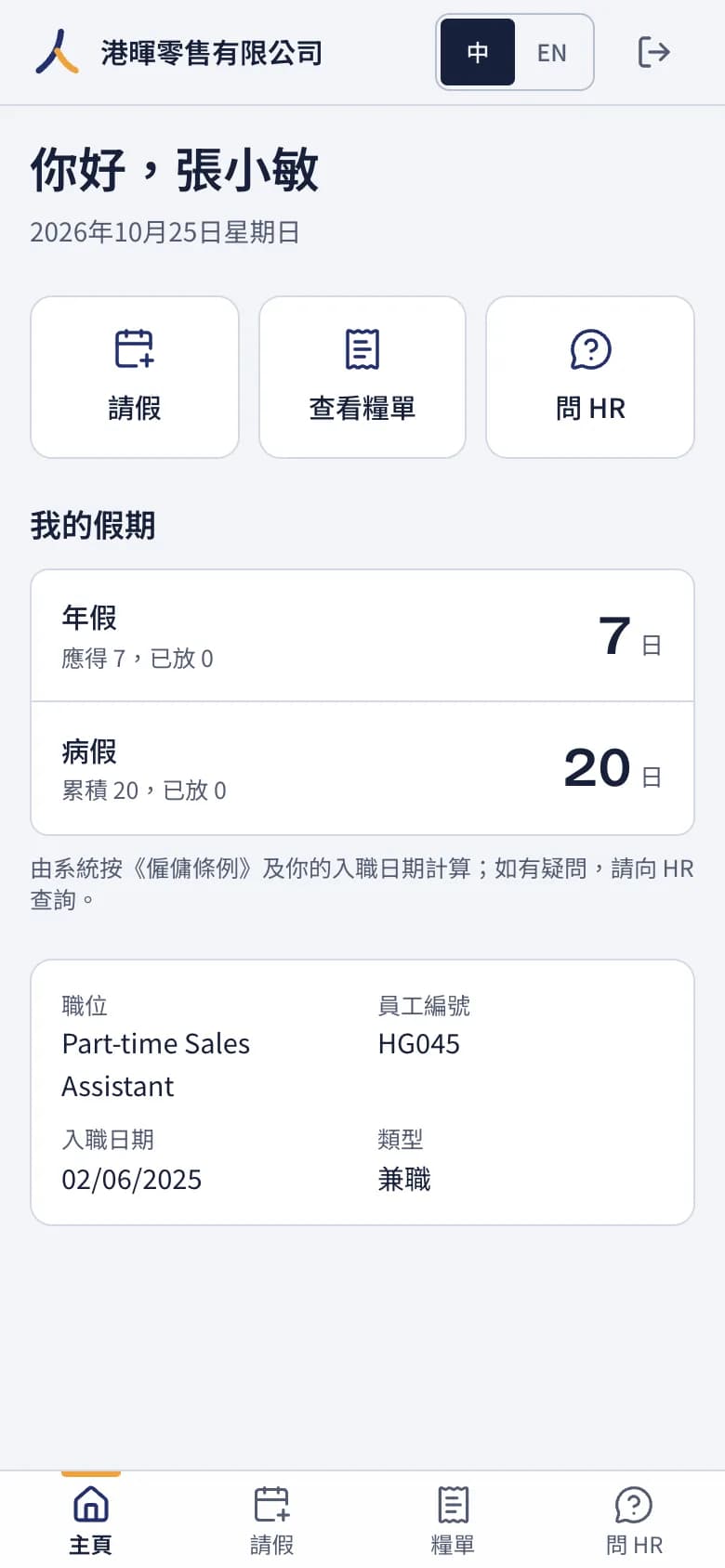
- HR works in the web console and by email. Staff ask questions and apply for leave on WhatsApp or a self-service page on their phone. Traditional Chinese and English throughout.
How a piece of work runs
Every job is a chain of steps, and the last one is always HR's approval.
- 1
Intake
CVs, leave requests, payroll files and timesheet photos arrive in one inbox, from the console, email or WhatsApp. Each item is matched to the workflow that handles it.
- 2
Plan
The AI breaks the job into steps.
- 3
Tools and calculation
Leave days, wages, MPF and settlement amounts come from the rules engine, never from the model.
- 4
Draft
The AI writes the shortlist, answer, check or pack, citing its sources: the CV, the staff handbook or the ordinance.
- 5
Self-check
The draft is checked for figures, sources and format; anything that fails goes back to the AI.
- 6
Second AI review
An independent AI reviews it for bias, figures and sources.
- 7
HR approval
The result goes to the review desk. HR approves it, edits it or sends it back.
AI can only draft. Sending, saving and paying are actions a person takes.
Nine workflows, ready to run
Each one is a complete job, from intake to the review desk.
- W1
CV screening and shortlist
Scores each CV against the role, criterion by criterion, with the CV line behind every score. Protected details are masked first.
- W2
Candidate outreach and scheduling
Contacts candidates and books interviews on WhatsApp or by email, using approved templates.
- W3
JD and job ad drafting
Drafts the job description and advert, and stops discriminatory wording.
- W4
Employee policy Q&A
Answers staff on WhatsApp or their phone, citing the staff handbook and the ordinance. When it isn't sure, it hands the question to HR.
- W5
Leave and attendance
Checks 468 continuous contracts, annual leave, sickness allowance and statutory holidays.
- W6
Payroll pre-check
Checks minimum wage, MPF caps, 12-month average wages and unusual changes before payday.
- W7
Termination settlement
Calculates payment in lieu of notice, untaken leave, and severance or long service payments split before and after the offsetting abolition of 1 May 2025.
- W8
Onboarding pack
Prepares the contract, the PDPO personal data collection notice and the MPF enrolment reminder.
- W9
Timesheet collectionFor agencies
Reads timesheets from photos, Excel or WhatsApp and reconciles the hours.
Payroll, checked before it goes out
W6 reads the month's payroll and flags only what needs a look: pay under the minimum wage, MPF over the cap, a sudden jump in pay. Changing pay and releasing payroll stay with HR.
The 468 rule, counted by code
W5 adds up each employee's hours against the continuous-contract thresholds and shows who is covered and why. The model is never asked to count.
Staff ask, the handbook answers
On WhatsApp or their phone, staff get answers that cite the handbook and the ordinance, about their own record only. Anything about someone else, or anything uncertain, goes to HR.
For HR and staffing agencies
Agencies run many client companies at once. Peopleway keeps each client's data separate, and W9 turns timesheets in any form into reconciled hours.
- Each client company's data is kept apart
- Timesheets from photos, Excel or WhatsApp, reconciled by W9
- A crossed-out figure isn't guessed: it goes to HR
- Client approvers see and approve only their own company's timesheets
The details
- Channels
- Web console, email, WhatsApp and a self-service page for staff on their phones
- Languages
- Traditional Chinese and English
- Model
- Blockway's own Agens Pilot
- Data
- Hosted on AWS in Asia Pacific (Singapore). Customer data is never used to train models.
- Payroll
- Peopleway's payroll engine, or a check on top of Workstem, Talenox or an Excel import
Peopleway helps HR check the numbers; it does not give legal advice. Statutory figures follow the legislation in force.
Watch it work
Three short tutorials, made from screens of the real system, with demo data.
No sound; captions in Traditional Chinese with English. 港暉零售 (Harbour Glow Retail) and 卓越人力 (Summit Staffing) are fictional demo companies; every person shown is fictional.
See Peopleway with your own HR work
Tell us how your team runs recruitment, leave and payroll, and we'll walk you through the workflows that fit.
Public sign-up isn't open yet. Book a demo and we'll set up your account.
Or email info@blockway.io